
CourtSync integrates with Stripe Tax for platforms. Your connected academy is the tax liable party — CourtSync does not own your tax registrations.
Understand the tax model
When Stripe Tax is active on your connected account:
- Lesson PaymentIntents use the Stripe Tax Calculation API at checkout
- Tax amounts appear to guardians during booking
- Tax transactions are recorded on payment success and reversed on refund
When tax settings are null or pending, bookings continue without automatic tax (legacy subtotal-only behavior).
Access Tax settings
Go to Payments → Tax tab:
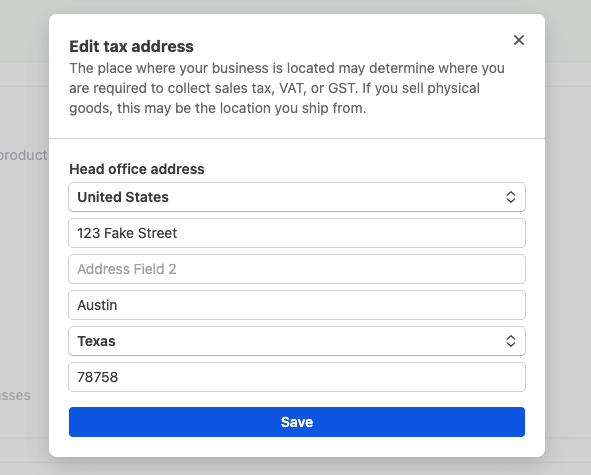
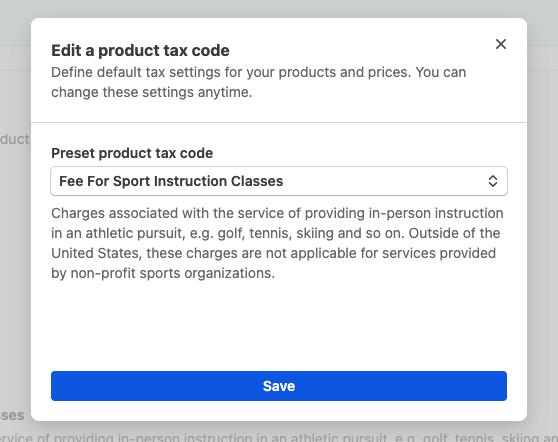
- Tax business details — head office address and preset tax code
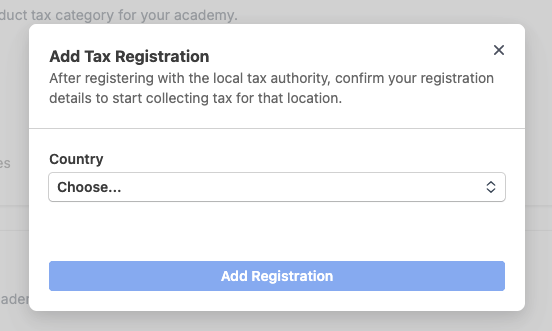
- Tax registrations — manage tax registrations by jurisdiction

Configure head office and tax code
In Tax Settings, set your academy's head office location. Select the appropriate preset tax code for sports coaching or recreation services in your jurisdiction.
Stripe uses this configuration to determine tax applicability on lesson bookings.
Add tax registrations
In Tax Registrations, register for tax in each jurisdiction where you are registered to collect. Stripe Tax calculates based on your registrations — CourtSync does not determine whether you owe tax or are registered.
Consult your accountant for registration requirements in your region.
Verify active status
Once configuration is complete, Stripe Tax shows as active in your payment settings. Confirm this on the Tax tab before relying on automatic tax at checkout. Active status enables automatic tax on new lesson bookings.

What students see at checkout
Students booking lessons see itemized pricing with tax calculated based on the academy's location, the customer's location, and active registrations. The total charged includes applicable tax when settings are active.
Refunds and tax reversal
When you process a refund through CourtSync, associated tax transactions are reversed automatically in Stripe Tax. No separate manual tax adjustment is needed for standard refund flows.